
01 Find the product
Barcode, price and stock in one list.
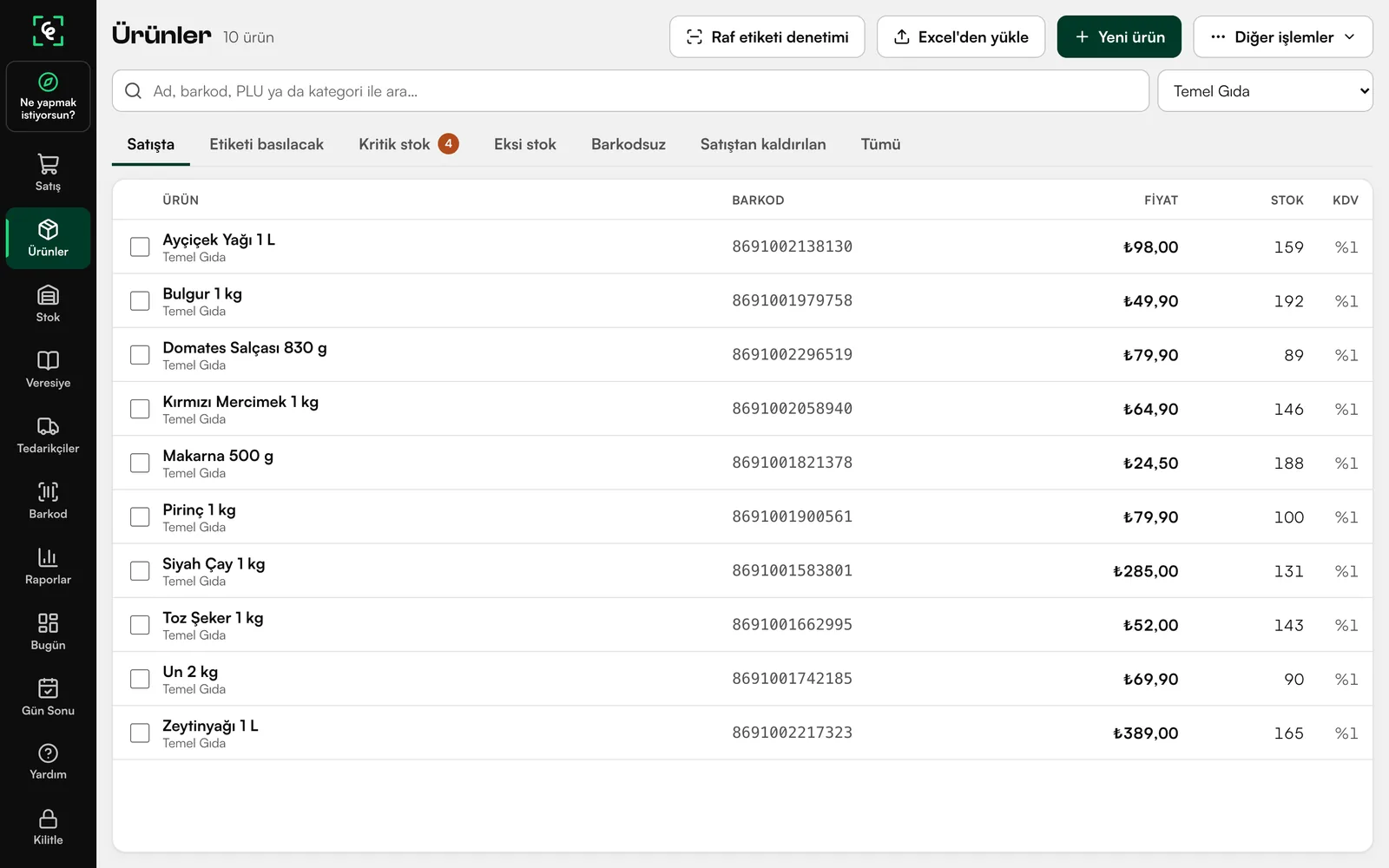
On the Products screen, each item’s barcode, price, stock and VAT sit on a single row. The list filters by category, and products can be imported from Excel.


goktepe.tech/Products/bargod
AvailablePOS software for shops in Turkey · Windows
Someone new at the till doesn’t go hunting for refunds, store credit or the end-of-day. They just type it in their own words.
The program has no surprises: each situation always gets the same response.
Type like the person at the till; typos are fine.
Like the real program, this box reads Turkish. Hover over a sample sentence to see it in English, or type your own.
Results appear as you type. Choose with ↑ ↓, open with Enter, close with Esc.
Pick a sentence or type one.
Mock-up: a simplified copy of the box in the real program. It works offline and never changes a record by itself; it shows where to go, and the person at the till confirms the action.
01 Find the product
On the Products screen, each item’s barcode, price, stock and VAT sit on a single row. The list filters by category, and products can be imported from Excel.
02 Scan and sell
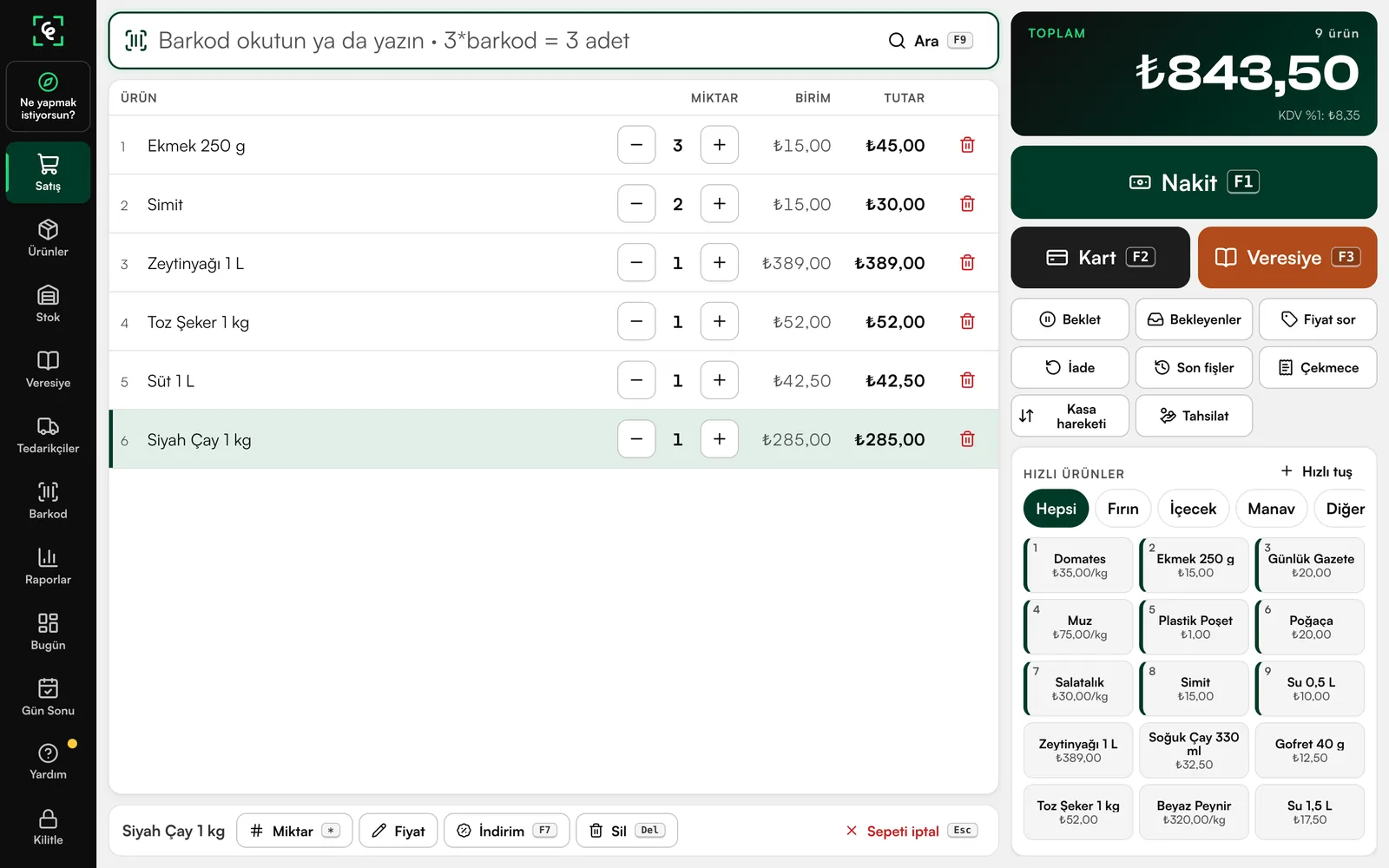
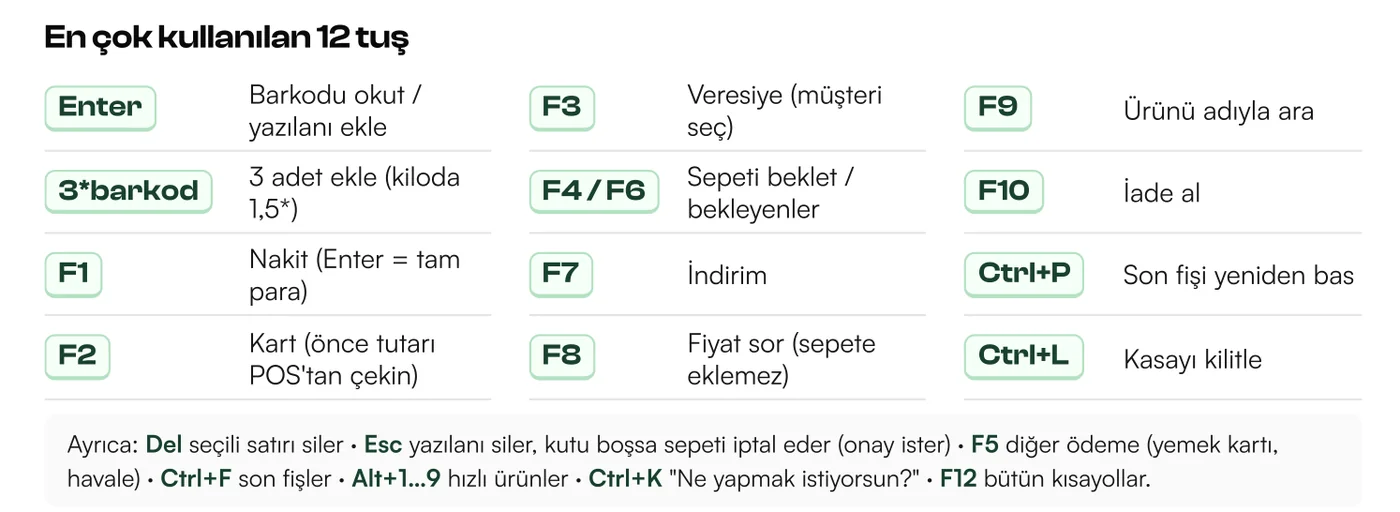
Scan a barcode or type the product name; “3*barcode” adds three of it. Payment is F1 for cash, F2 for card, F3 for store credit.
03 Receipt
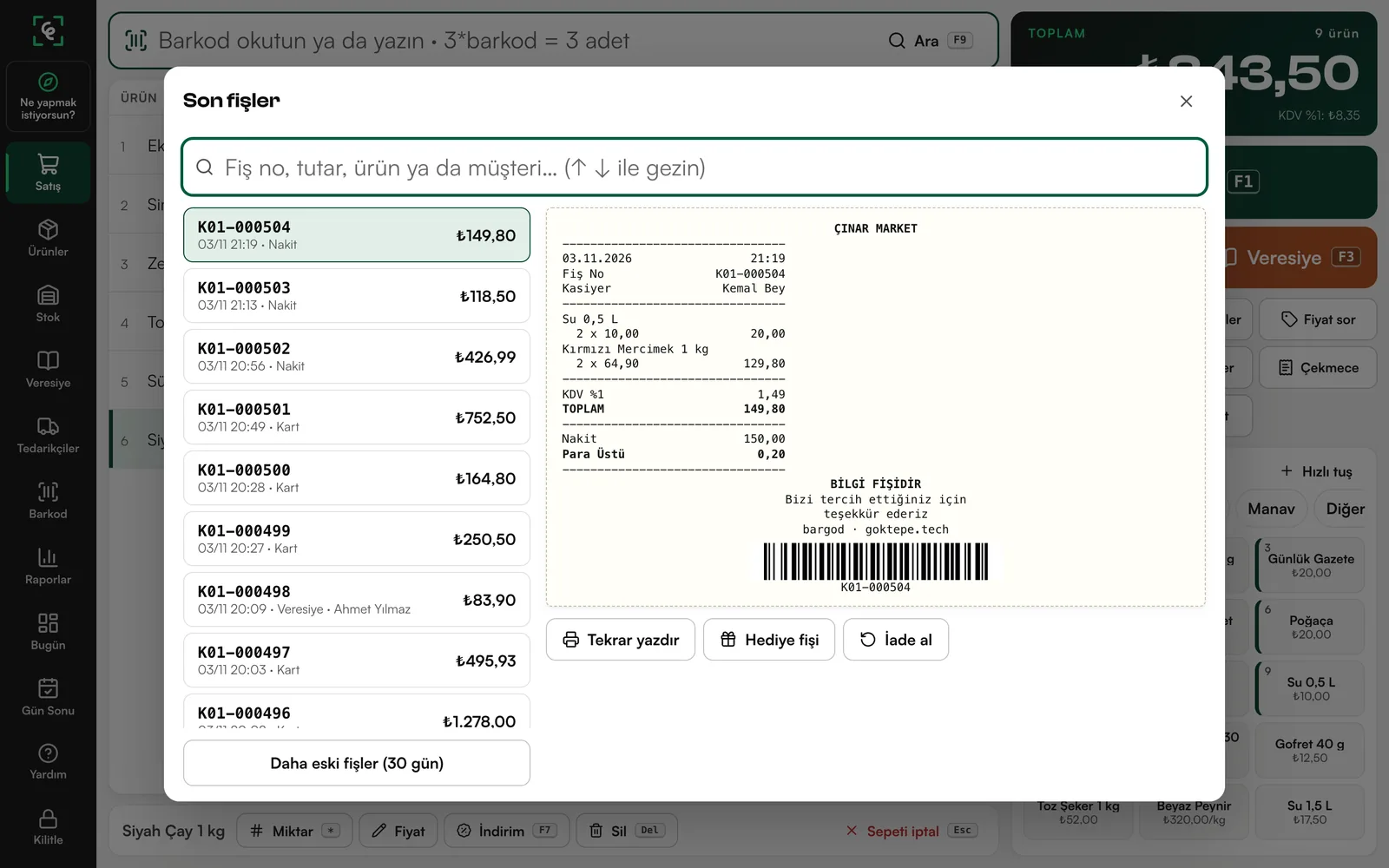
Recent receipts can be searched by receipt number, amount, product or customer name. The chosen receipt can be reprinted, turned into a gift receipt or refunded.
04 What do you want to do?
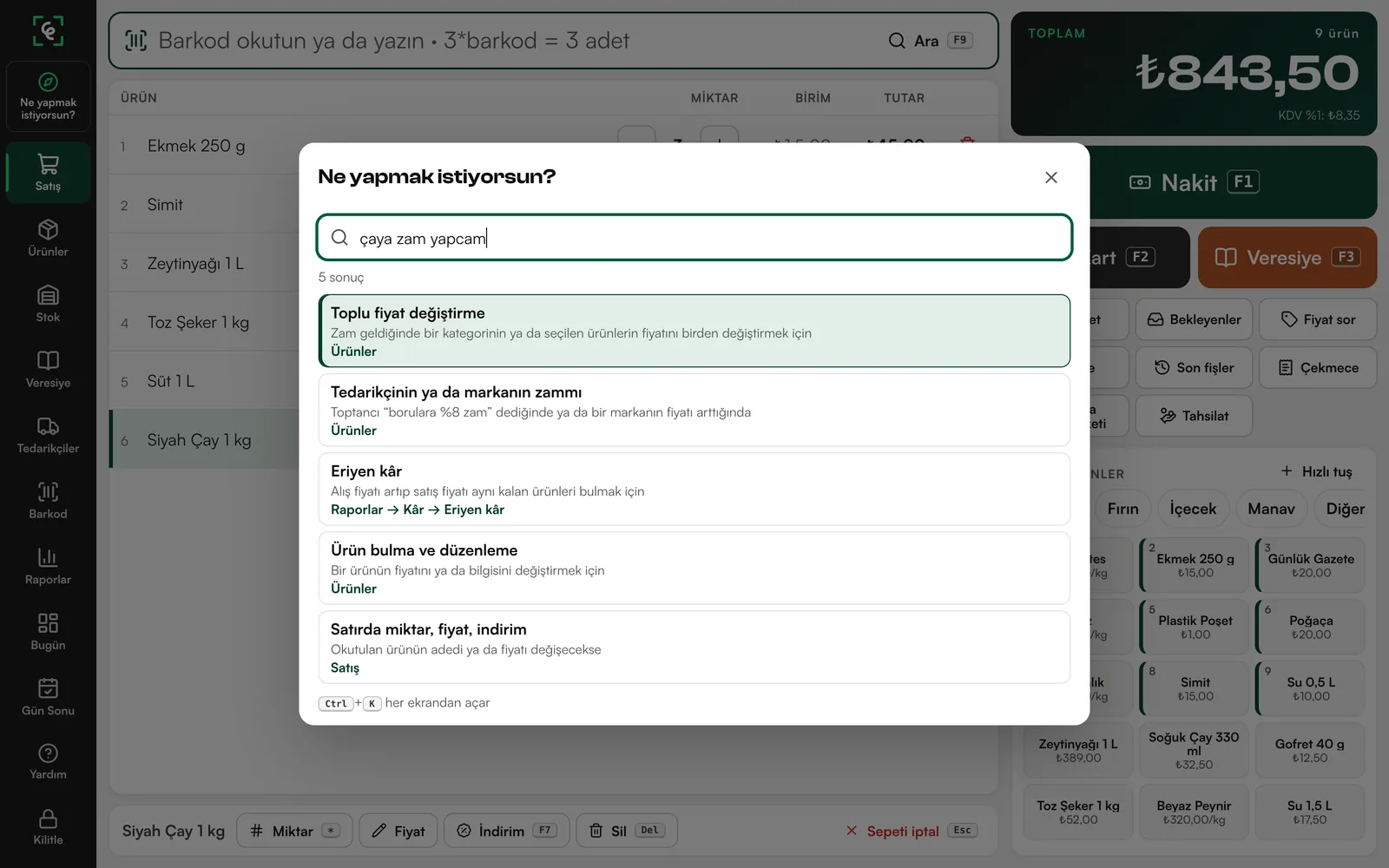
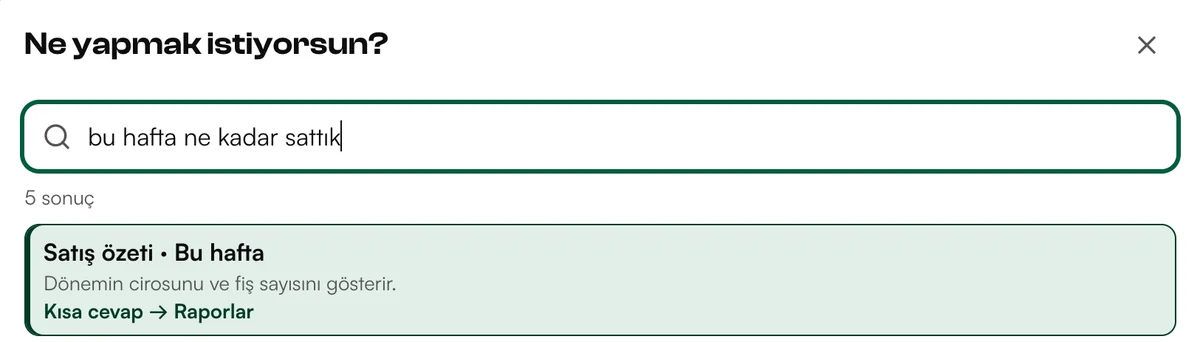
Ctrl+K opens the box from any screen. Type “çaya zam yapcam” (I’m raising the price of tea) and the first result is Bulk price change; “bu hafta ne kadar sattık” (how much did we sell this week) brings back a short answer.
05 Report
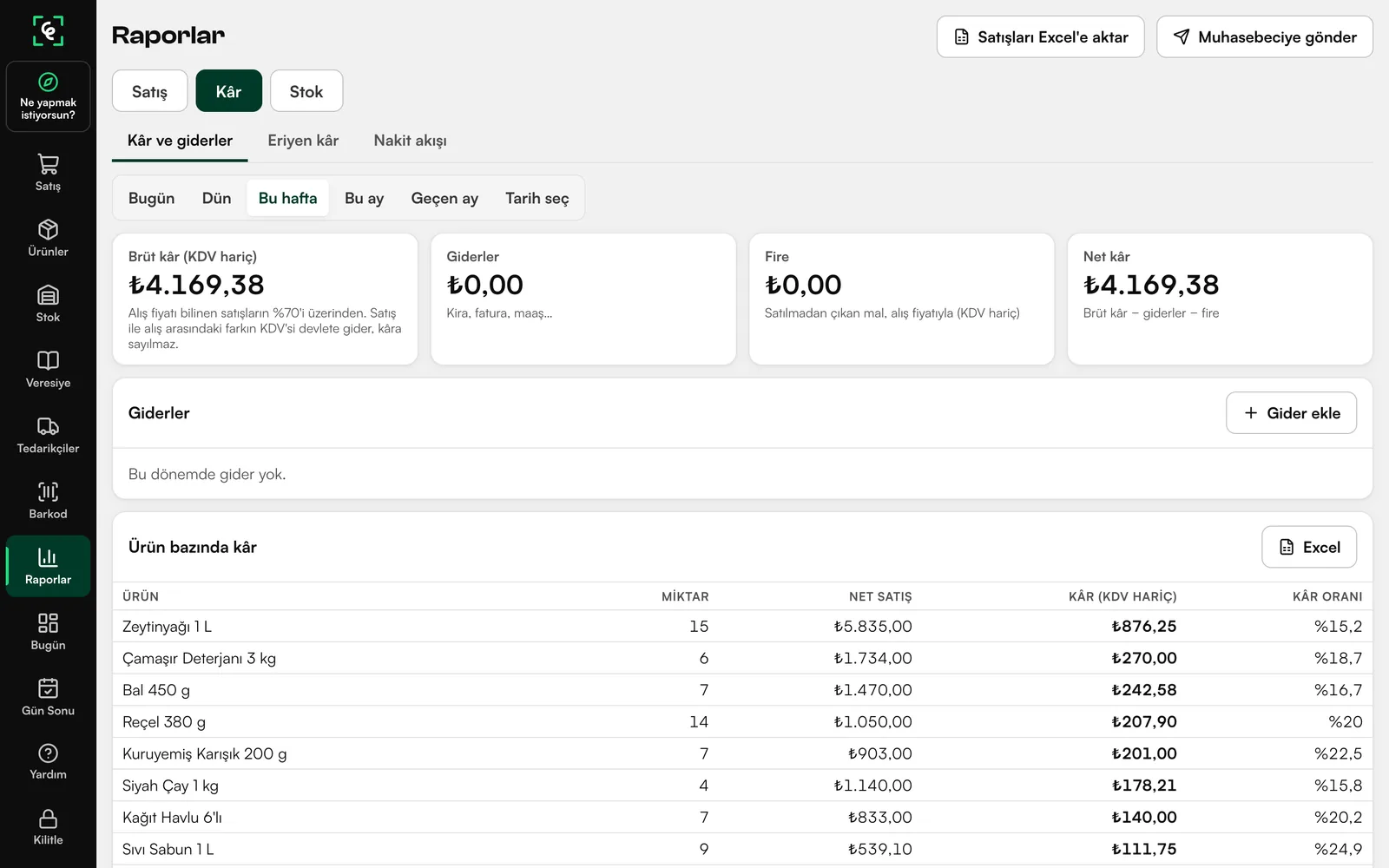
In Reports, pick today, yesterday, this week or this month. Gross profit, expenses, waste and net profit sit at the top, with profit per product below. Sales export to Excel.
Scan the same item twice and the count goes up.
Try it: hover over a product or tap it
bargodNOT A FISCAL RECEIPT
The receipt is empty. Scan a product.
0 itemsPrices hidden
The keys a cashier needs to learn fit on one page.
Need a stock, order or report screen made for your shop? We write the software around the way you work.
Tell us about your shop in a sentence; we’ll plan the setup and device settings.
 Plan Defteri