
01 Set up the group
A group starts from a scenario.
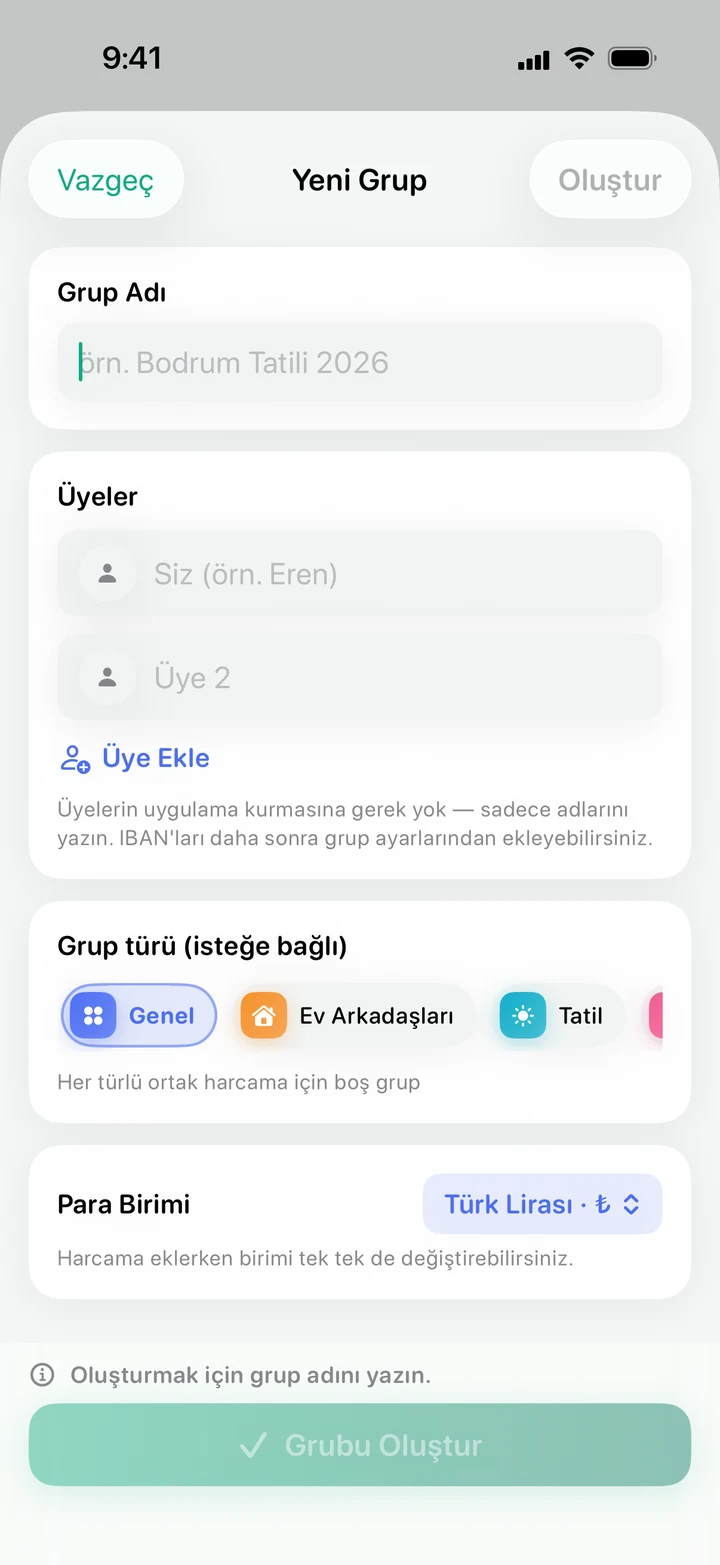
Flatmates, a holiday, a wedding, weekly football or a joint gift: pick a scenario, name the group and add members by name.
 Denk
goktepe.tech/Products/Denk
Launching soonShared expense book · iPhone and iPad
Flatmates, holidays, five-a-side football: one person pays for groceries, another for fuel. Denk keeps count of who owes whom.

Denk doesn’t move money. It only keeps the record.
01 Set up the group
Flatmates, a holiday, a wedding, weekly football or a joint gift: pick a scenario, name the group and add members by name.
02 Split the expense
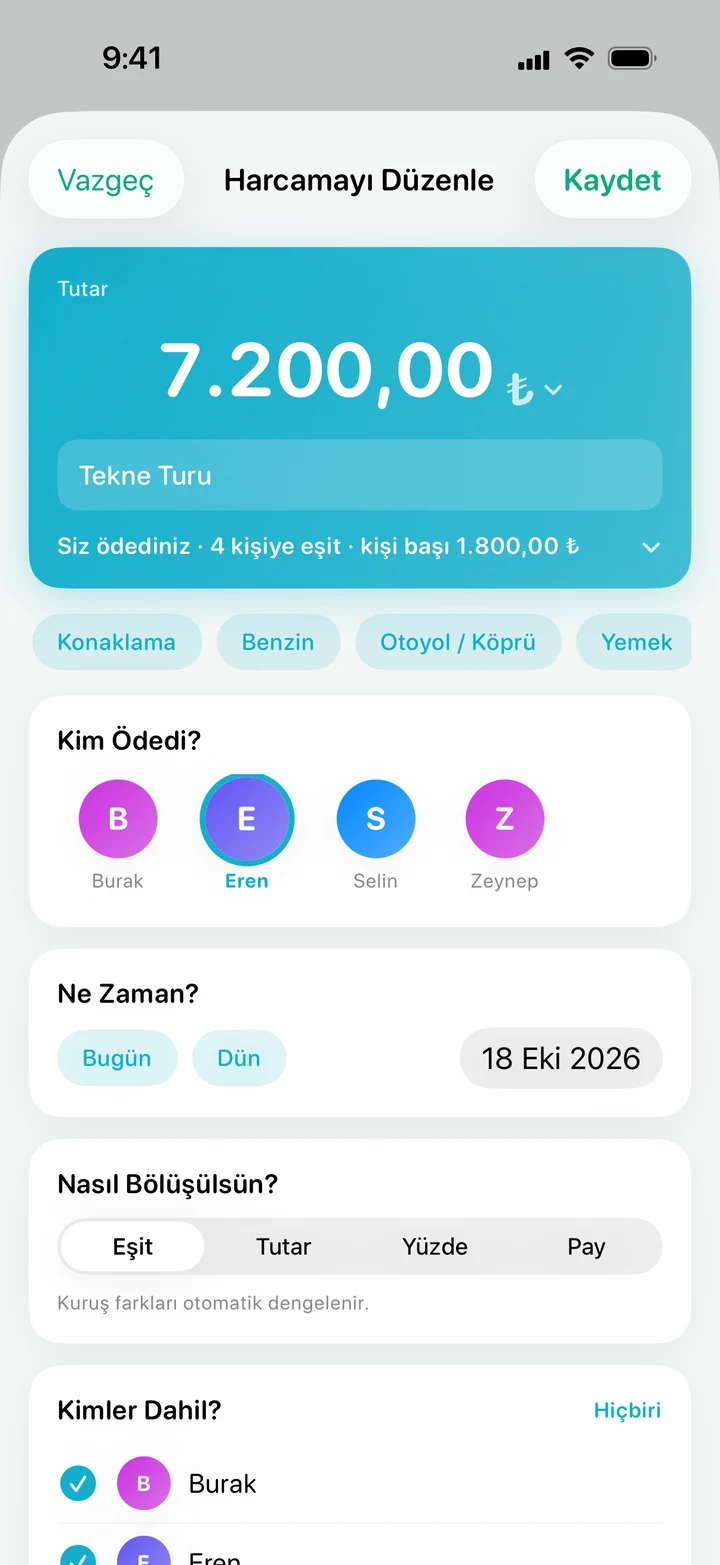
Enter the amount, then mark who paid and who’s included. Rounding differences even out on their own.
03 See who owes
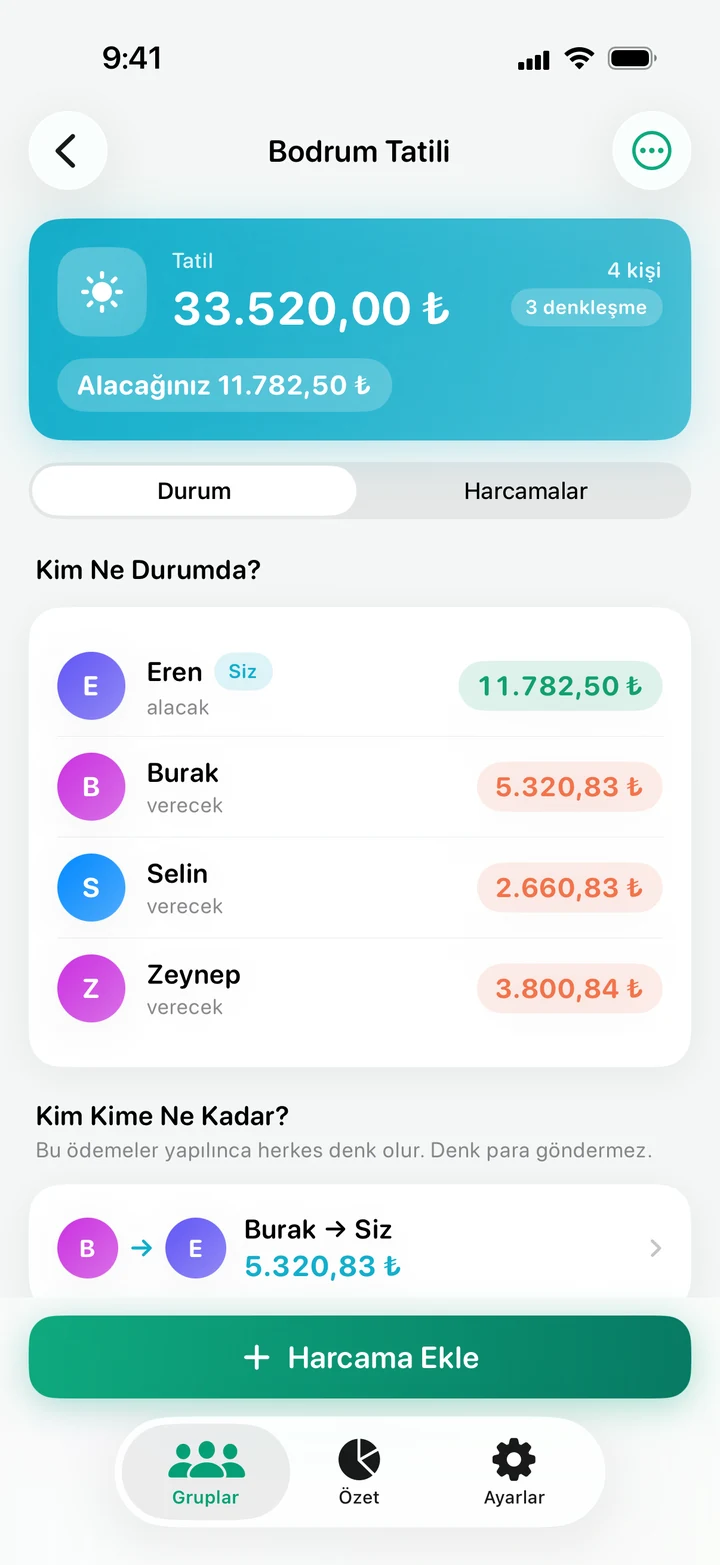
Who owes and who is owed, on one screen. Denk simplifies the debts: in a group of n people, everything settles in at most n−1 payments.
04 Send the link
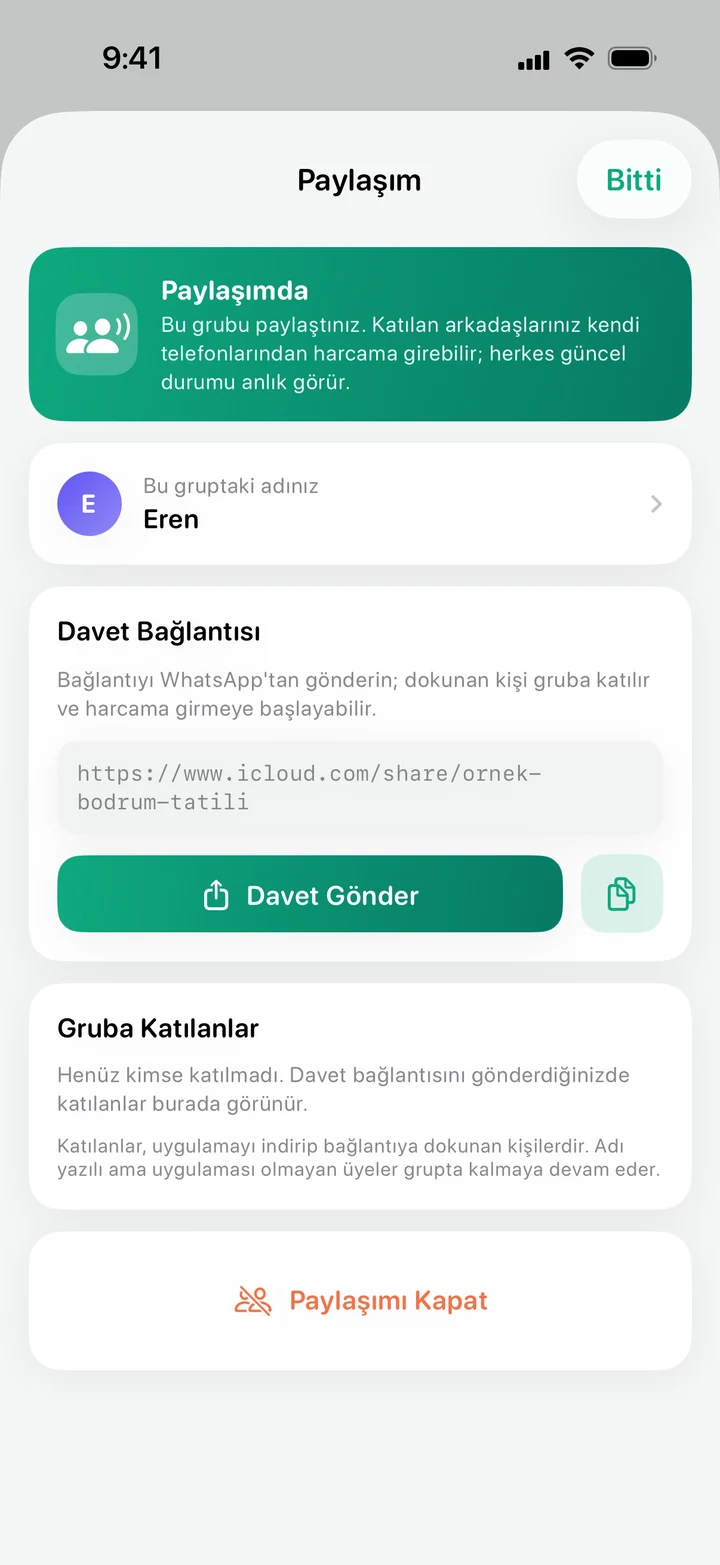
The group is shared with a link; whoever taps the link sent over WhatsApp joins the group. A member without the app stays in the group under their name.
05 Remind
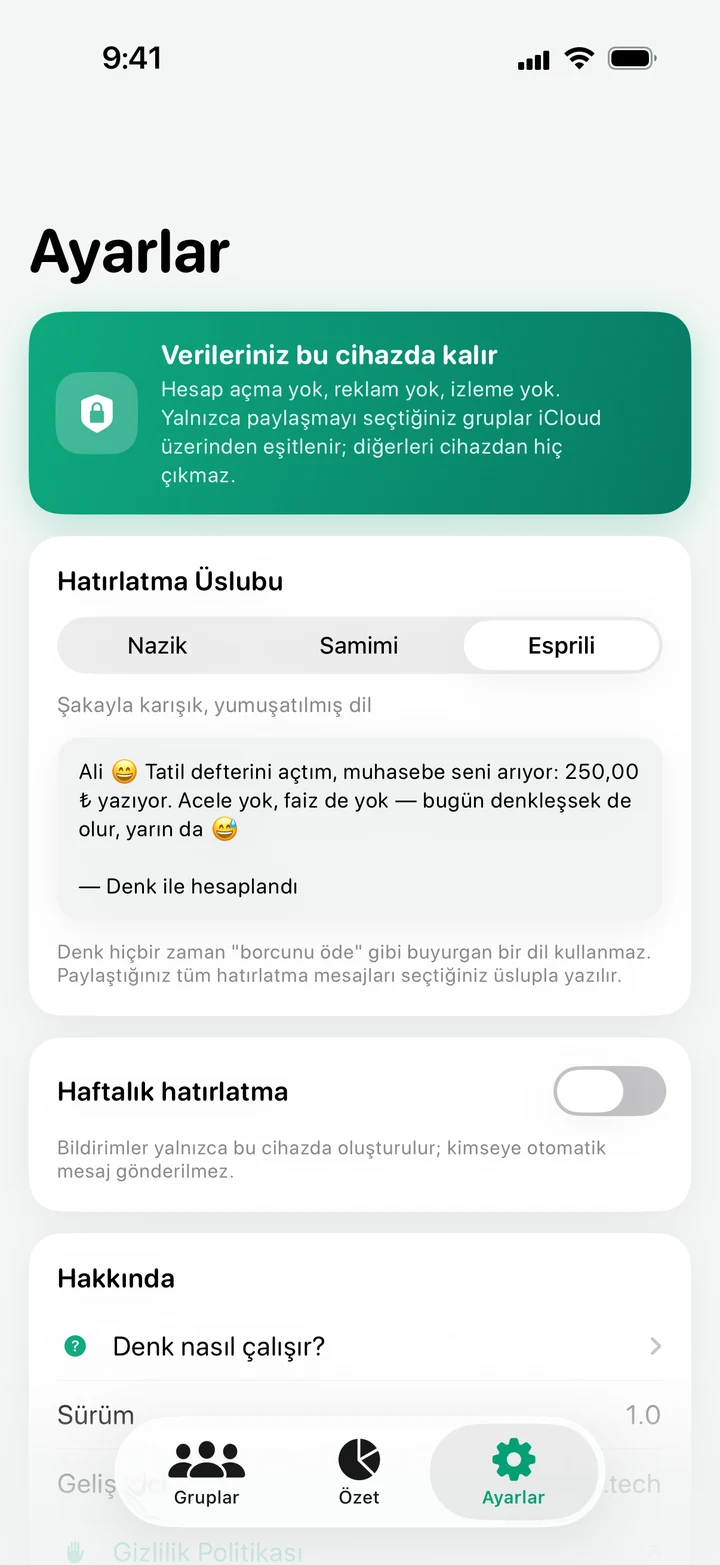
Choose a reminder tone: polite, friendly or jokey. Denk never uses bossy lines like “pay your debt”.
Change the amount, add people, pick who paid.
Try it: a dinner bill
Each person310 TL
Open the bill-splitting calculator in your browser (in Turkish)
Not on the App Store yet; we’re preparing the release. For a one-off bill, the calculator that runs in your browser is already open.
Price, accounts and your data.
Yes. Downloading Denk costs nothing; there’s no subscription, no in-app purchase and no ads. Groups and expenses are unlimited.
No. There’s no e-mail, password or sign-up form. As soon as you open the app, it asks who you’re keeping accounts with, and you start from there.
No. You set up the group and add your friends by name only. If you want everyone to enter expenses from their own phone, share the group with an invite link; in that case, the people who join need Denk installed as well.
There are four methods: equal (going Dutch), by amount, by percentage and by shares. Leftover cents are balanced automatically, so the total always matches the amount you entered.
No. Denk is a ledger for recording and settling up; it doesn’t hold money or connect to any banking system. It shows who owes whom and how much, and you make the transfer in your own banking app.
Groups you don’t share stay on your device, and Denk doesn’t send them anywhere. Shared groups are stored in your own iCloud account and are open only to the people you invite. Denk has no server, so the developer can’t see your records.
Yes. There are 7 currencies, including Turkish lira, euro, US dollar and pound sterling. Currencies aren’t converted into each other; each one keeps its own balance and settles separately.
For now, Denk is built only for iPhone and iPad running iOS 17 or later. Whatever phone you have, you can use the bill-splitting calculator in your browser for one-off bills (the calculator is in Turkish).
Planning a phone app? Together we pin down what it has to do from its first day.
One line is enough. We’ll send you the link on launch day.
 NumeraFin